Configuring Graphics Card for high performance
On Windows:
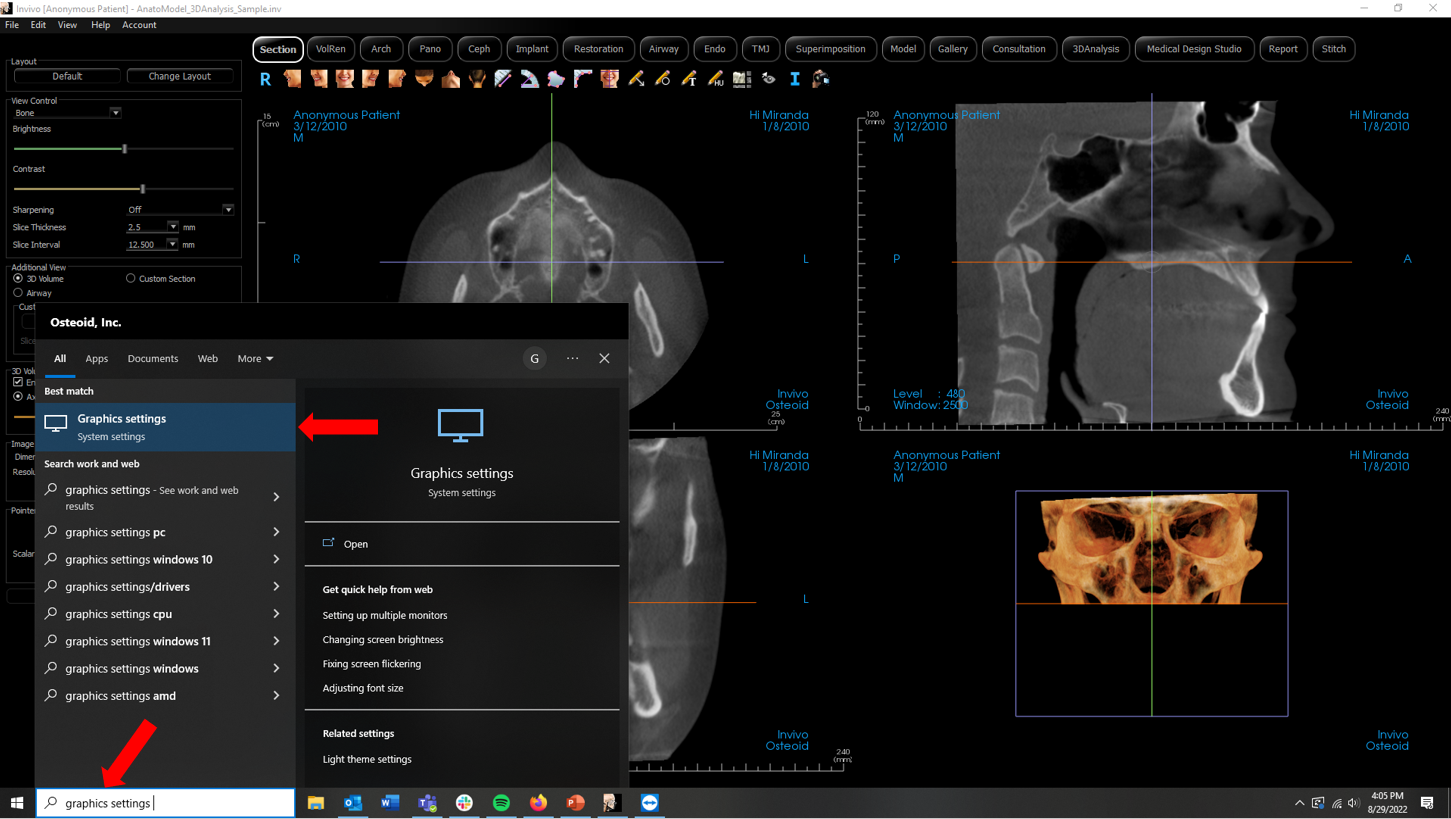
- Navigate to the Taskbar and type in the Search field Graphics Settings.
- Select the Graphics Settings option from the list.
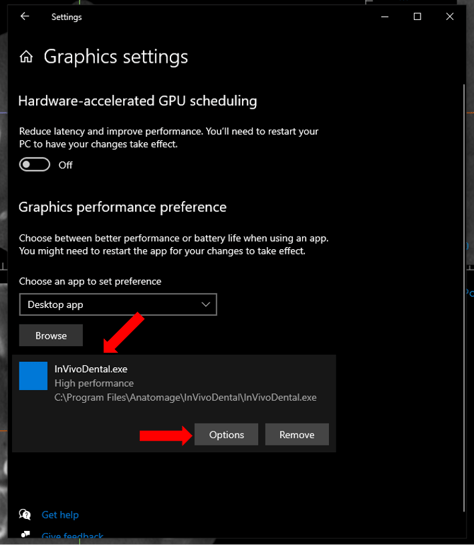
- In the Graphics Settings popup, left click on the InVivoDental.exe application. Then left click the Options Button.
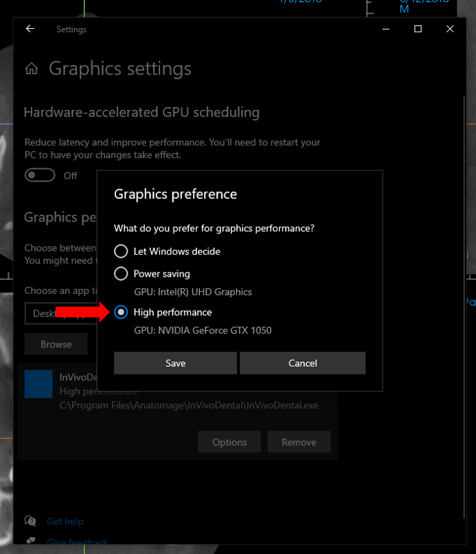
- Select the High Performance option then select the Save button.
On Apple MacOS:
Apple Icon > System Preferences > Energy Saver > Deselect Graphics Switching
If you need additional assistance please contact Software Support at 408.333.3484 ext. 2 or email support@osteoidinc.com.